Store Invoice Maker — Complete Guide: Features, Uses, Best Practices & Troubleshooting
A Store Invoice Maker simplifies billing by turning sales details into professional, printable invoices in seconds. Whether you run a brick-and-mortar shop, an online store, or provide services, an easy invoice tool speeds up checkout, reduces errors, and creates a neat record for accounting and tax time. This guide focuses on what a Store Invoice Maker does for you, the useful features to look for, best practices for real-world use, legal considerations, and simple troubleshooting steps.
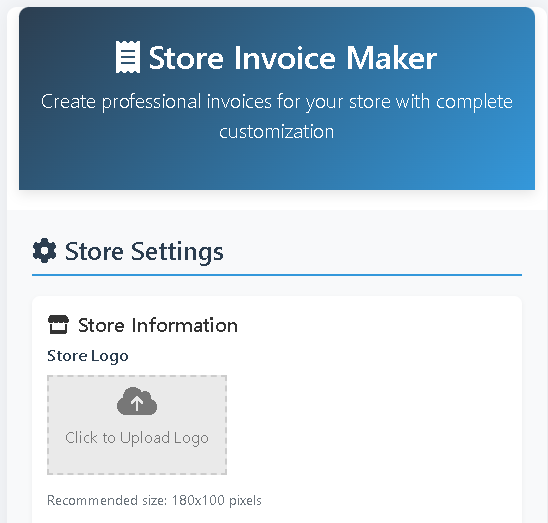
Store Invoice Maker
Create professional invoices for your store with complete customization
Store Settings
Store Information
Click to Upload Logo
Upload Stamp
Invoice Template
Add Products
Invoice Preview
123 Main Street
City, State 10001
Phone: (555) 123-4567
Email: info@mystore.com
INVOICE
Invoice #: ST-2023-001
Date: October 15, 2023
Due Date: October 30, 2023
Bill To:
Payment Details:
| Description | Quantity | Unit Price | Total |
|---|
Notes:
Subtotal:
Tax (10%):
Discount:
Grand Total:
₹0.00
₹0.00
–₹0.00
₹0.00
Why every small business needs a Store Invoice Maker
Invoices are the backbone of sales records. A dedicated Store Invoice Maker helps you:
- Produce consistent, professional invoices that build trust with customers.
- Save time at checkout and reduce manual calculation errors.
- Keep digital records for bookkeeping, returns, and tax audits.
- Provide clear payment instructions (bank transfer, card, digital wallets).
- Quickly generate receipts, delivery notes, or pro forma invoices when needed.
Using a reliable invoice maker reduces friction in daily operations and makes month-end reconciliation far easier.
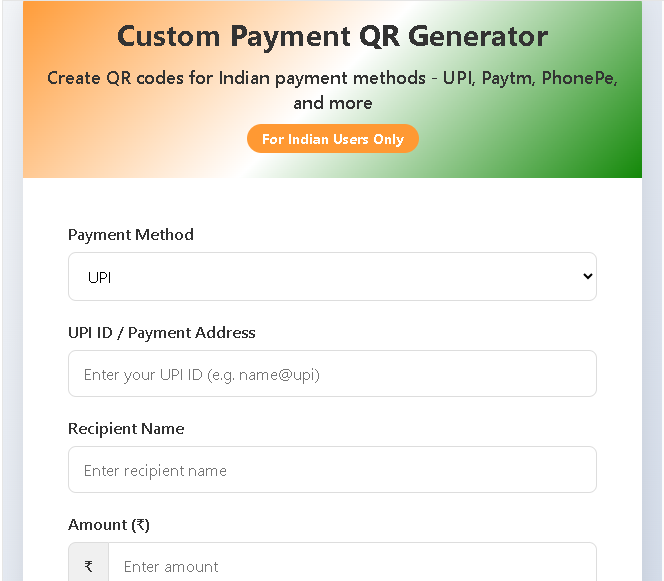
Also Use Our Custom Payment Qr Code Genrator
Core features to expect from a good Store Invoice Maker
A practical Store Invoice Maker should include the following features:
- Customizable store details: Store name, address, contact info, and logo.
- Invoice numbering & dates: Auto-generated invoice numbers and due dates.
- Product line items: Add multiple products/services with quantity, unit price, and totals.
- Tax & discounts: Apply tax rates, show tax breakdowns, and include discounts.
- Multiple templates: Choose modern, classic, or professional layouts to match branding.
- Customer fields: Name, billing/shipping address, and contact info.
- Export & print: Download as PDF, print-ready layout, or save as image.
- Stamp/signature: Add a paid stamp, digital signature, or store seal for authenticity.
- Local storage or cloud: Save settings and invoices for later access.
- Responsive & printable design: Looks good on phone and prints cleanly on A4 or letter.
These features cover everyday billing needs while keeping the interface simple for non-technical users.
How to use the Store Invoice Maker (best-practice workflow)
- Fill store settings once: Save your store name, logo, address, tax rate, and currency so every invoice populates automatically.
- Add customer details: Record the customer’s billing and delivery information at checkout.
- Enter products/services: Add items with quantity and unit price, or select from a saved product list for speed.
- Apply taxes/discounts: Enter any discounts or taxes — the tool should calculate subtotal, tax amount, and grand total automatically.
- Choose template & stamp: Pick a template that matches your branding and add a stamp if payment is received.
- Export or print: Download PDF for email, print a copy for the customer, or archive the invoice in your records.
Keeping this routine consistent will speed up daily sales and simplify reporting.
Templates, branding & customization tips
- Match your brand: Use a template that fits your business personality — modern for tech/retail, classic for boutique shops.
- Keep contact info visible: Place store contact and payment details where customers can easily find them.
- Readable layout: Use clear headings (Invoice #, Date, Due Date), and keep line items legible with aligned totals.
- Add terms: Include short payment terms and late-fee policy to avoid misunderstandings.
- Stamp or signature: A “PAID” stamp or digital signature makes invoices look official and helps bookkeeping.
Small styling choices improve clarity and customer trust.
Legal and tax considerations
- Invoice numbering: Use unique, sequential invoice numbers — this is often required for tax audits.
- Required fields: Depending on your jurisdiction, invoices may need seller GST/VAT numbers, buyer tax IDs, or GST-inclusive/exclusive pricing. Confirm local rules.
- Tax breakdown: Show tax rates and amounts clearly to make tax filing easier.
- Record retention: Keep copies of invoices for the legally required period (commonly 5–7 years, varies by country).
- Receipts vs. invoices: An invoice requests payment; a receipt proves payment. Mark invoices as “PAID” once payment is received.
When in doubt, consult a local accountant to ensure your invoices meet regulatory requirements.
Exporting, printing & record keeping
- PDF export: Always save a PDF for emailing and archiving — PDFs preserve layout across devices.
- Print settings: Use A4 or letter templates and preview before printing to avoid cutoffs.
- Local backup: If the tool stores invoices locally (in browser storage), export regularly to avoid accidental loss.
- Accounting import: If you use accounting software, export invoices in compatible formats (CSV/PDF) for smooth imports.
A consistent backup habit prevents data loss and simplifies bookkeeping.
Troubleshooting common issues
- Totals not updating: Recalculate or click “Update Invoice” — ensure quantity and price fields contain numbers.
- Logo or stamp not showing: Re-upload the image in a supported format (PNG/JPEG) and check file size limits.
- Print layout broken: Switch templates or use the app’s PDF export (often cleaner than direct printing).
- Tax calculation off: Verify tax rate is saved in store settings and applied to the correct taxable items.
- Saved settings missing: Check browser storage settings; private/incognito mode may clear saved data.
Most issues are fixed by refreshing the preview, re-saving settings, or re-uploading images.
Best practices for safe, efficient invoicing
- Standardize product names and SKUs to avoid confusion.
- Use clear payment terms and include due dates.
- Keep a routine for exporting monthly invoice backups.
- Train staff on how to add items and mark invoices as paid.
- Use a “TEST” invoice when trying new templates to avoid sending drafts to customers.
Conclusion
A Store Invoice Maker is a practical, time-saving tool for any small business. It reduces manual errors, enforces consistent records, and produces professional documents that customers can trust. Follow the best practices above — save settings, use clear templates, export PDFs, and keep legal requirements in mind — and invoicing will become a fast, reliable part of your daily workflow.

Post Comment