Round Image Cropper — Free Online Circular Image Maker
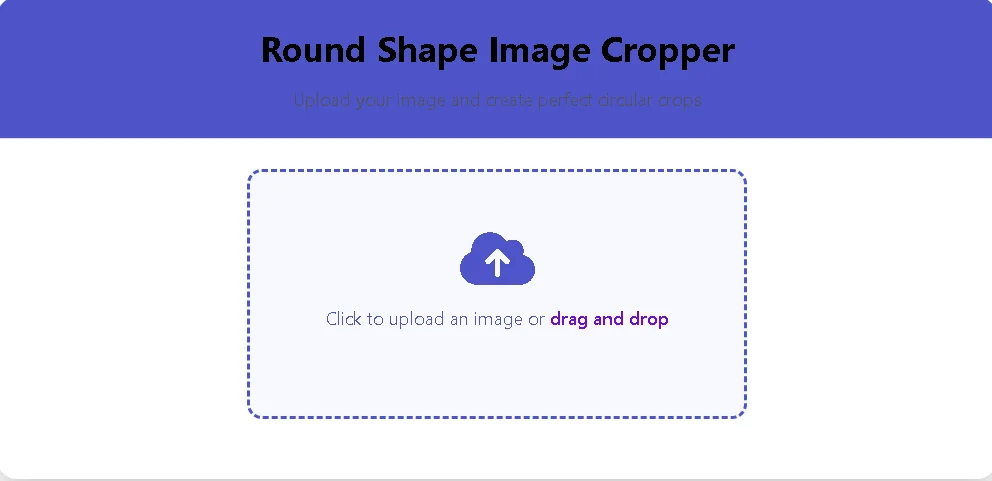
Round Image Cropper is a lightweight, privacy-first web tool that converts any image into a perfect circular crop — ideal for profile photos, avatars, app icons, and social posts. The tool runs fully in the browser (no uploads to servers), offers live preview, high-quality PNG export, and a responsive UI that works smoothly on both desktop and mobile.
Round Shape Image Cropper
Upload your image and create perfect circular crops
Click to upload an image or drag and drop
Your Cropped Image
Crop Your Image
×Live preview will appear here
How to Use the Round Cropper Tool
Click on the upload area or drag & drop your image
Select the circular area you want to keep
Download your perfectly circular cropped image
Why use this Round Image Cropper?
- Privacy-first: All processing happens client-side in the browser — your images never leave your device.
- High quality: Canvas-based rendering with image smoothing and anti-aliasing ensures clean round edges.
- Live preview: See the circular result instantly as you adjust composition and scale.
- Easy UX: Drag & drop upload, touch gestures, zoom and pan, and quick export.
- Flexible export options: Download PNG (with optional transparency) or JPEG at selectable sizes for retina support.
Key features
- Drag & drop or click-to-upload image support (JPEG, PNG, WebP).
- Circular crop UI powered by CropperJS (1:1 aspect ratio with circular view box).
- Live circular preview panel that updates as you crop.
- High-resolution export (e.g., 500×500, 800×800, or custom size).
- Mobile-friendly responsive layout and touch gesture support.
- Client-side processing — no API keys, no server storage.
- Fast performance and small asset footprint (minimal dependencies).
Also Use : Easy Image Resizer – Resize & Compress Photos in 1 Click (Free Tool)
How to use — Quick step-by-step
- Upload — Click the upload area or drag & drop your image (JPEG/PNG/WebP supported).
- Adjust — Move and scale the image to frame the circular area you want to keep.
- Preview — Check the live circular preview to confirm composition and alignment.
- Export — Click “Crop” then download PNG (transparent) or JPG. For best results on retina screens, choose a larger export size (e.g., 800×800) and let platforms scale down.
UX & Accessibility notes
- Provide clear labels and keyboard support (Enter to upload/convert).
- Use large tap targets for mobile (upload area, crop, download).
- Ensure color contrast and aria-labels for better accessibility.
- Provide helpful error messages for unsupported formats or very large files (suggest downscaling).
Frequently Asked Questions (FAQ)
Q: Is this tool free?
A: Yes — the Round Image Cropper is free to use and performs processing directly in your browser.
Q: Will my image be uploaded to a server?
A: No — processing happens client-side. The image stays on your device unless you explicitly upload it to a server.
Q: What download formats are available?
A: You can download PNG (supports transparency) or JPEG. PNG is recommended for avatars with transparent backgrounds.
Q: Will it work on mobile?
A: Yes — the interface is responsive and supports touch gestures for zoom and pan.
Q: What export sizes should I use?
A: For social profile images, common sizes are 200×200 and 400×400. For retina, export at 2× (e.g., 800×800) and let the platform scale down.

Post Comment