Random Address Generator — Uses, Best Practices, Privacy & Troubleshooting
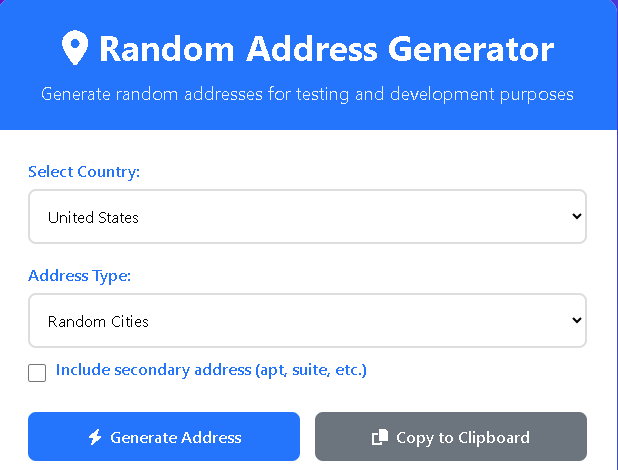
A Random Address Generator creates realistic-looking postal addresses for testing, development, demos, or design mockups. Whether you need sample addresses for a contact form, QA testing, or filling demo databases, a Random Address Generator saves time and prevents accidental use of real people’s data. This article explains where and when to use generated addresses, how to read their components, best practices for ethical use, and quick fixes when results look off.
Random Address Generator
Generate random addresses for testing and development purposes
Generated Address
Multiple Countries
Generate addresses from 8 different countries
City Options
Choose between major cities or small towns
Easy Copy
Copy addresses with a single click
What a Random Address Generator gives you
A typical Random Address Generator produces components that resemble real addresses:
- Street number and street name (e.g., “742 Maple St”)
- Secondary unit (apartment, suite, unit — optional)
- City and region/state (major cities or small towns by choice)
- Postal/ZIP code (formatted to country rules)
- Country name
Good generators let you choose a country, prefer major cities or small towns, and optionally include secondary addresses. The output is formatted so you can copy it directly into forms or files.
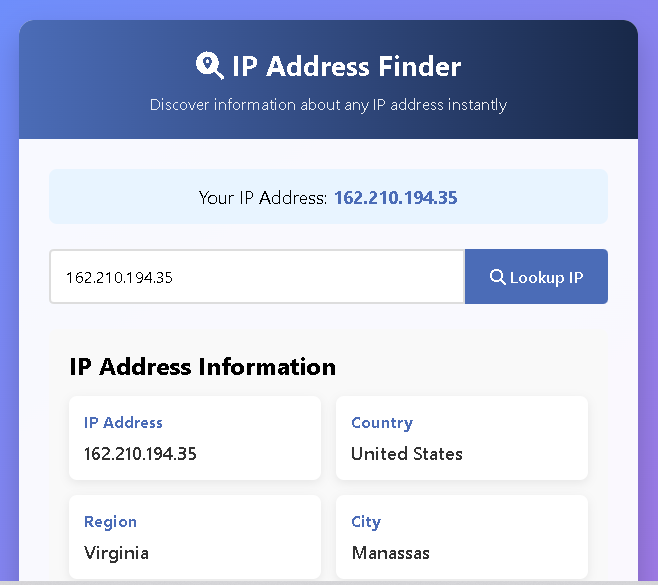
Also Use Our IP Address Finder Tool — How to Use, Features, Privacy & Troubleshooting
Common uses for a Random Address Generator
- Software testing & QA: Populate forms, validate address parsing, and test sorting/filtering logic without risking real user data.
- UI/UX design and demos: Use realistic sample data for screenshots, prototypes, or design presentations.
- Load and integration testing: Create many unique-looking records to test import/export, mailing lists, and database performance.
- Educational and training materials: Demonstrate address fields and validation in courses or documentation.
- Privacy-preserving samples: Share examples publicly without exposing personal addresses.
How to choose the right generated address for your task
Not all generated addresses are equal. Pick options based on your needs:
- Country-specific format: Use country selection when postal format matters (for example,
###-####in Japan or#####in the US). - Major city vs. small town: Choose major cities to simulate high-traffic regions or small towns to test handling of less common localities.
- Include secondary fields when testing apartment or suite parsing.
- Postal code realism: If your validation checks length or pattern, select a generator that uses realistic postal code formats.
Formatting tips and parsing expectations
When working with generated addresses keep these tips in mind:
- Expect commas and line breaks — the usual format is street line, secondary line (optional), city/state postal, country.
- When storing addresses in separate database fields, split components into street, city, state/region, postal_code, country.
- If your system validates postal codes against a strict pattern, confirm the generator’s format matches the country’s official pattern.
Privacy and ethical considerations
Generated addresses reduce the risk of exposing real private data, but follow ethical rules:
- Do not use generated addresses as real shipping destinations. They are not guaranteed to be deliverable and may point to private property.
- Avoid mixing generated addresses with real personal identifiers when releasing public datasets — it can still be confusing or misleading.
- Label test data clearly. When exporting or sharing demo data, mark it as “TEST / SAMPLE” to prevent accidental use.
- If you must publish sample output publicly, sanitize any fields that might be misinterpreted as real.
Limitations and things to watch for
- Not guaranteed deliverable: Generated addresses are for testing only and should not be used for real shipments.
- Edge cases: Some generators may not cover rare postal formats, overseas territories, or new municipality names.
- International rules: Address ordering and elements vary by country — ensure the generator supports the countries you need.
- Repetition: Cheap generators may reuse the same addresses; for large-scale testing, confirm uniqueness or use generators that support bulk-unique generation.
Troubleshooting common problems
If generated addresses look wrong or your tests fail, try these fixes:
- Mismatch with validation rules: Check that postal code formats and state/region names used by the generator match your validation patterns.
- All outputs look identical: Ensure the generator’s randomness seed isn’t fixed; refresh the page or use the tool’s bulk generation option.
- Special characters breaking exports: Some addresses may contain accent marks or non-ASCII characters — make sure your import/export pipeline supports UTF-8.
- Country data missing or incorrect: Switch the country selector and test again; if a country’s address format is missing, use another generator or manually customize formatting rules.
Best practices for test data hygiene
- Keep a separate test database. Never mix generated addresses with production records.
- Mark test records clearly. Add a boolean flag or prefix fields like
TEST_so they’re easy to filter. - Use randomized but deterministic data for repeatable tests. For automated testing where results must be consistent, use a fixed seed.
- Purge test data regularly. Schedule cleanups to prevent test records from polluting analytics or reports.
- Respect rate limits if generating in bulk from an external service. Prefer local generation for large datasets.
Quick FAQ
Q: Can I use generated addresses for real deliveries?
A: No — generated addresses are only for testing and demonstration. They may not exist or be deliverable.
Q: Are generated addresses unique?
A: Not always. For large batches, choose a generator that guarantees uniqueness or implement logic to check duplicates.
Q: Is it legal to create and use generated addresses?
A: Yes — generating synthetic addresses for testing is legal. The legal concerns arise only when you use them in ways that mislead or infringe on privacy.
Conclusion
A Random Address Generator is a practical, low-risk way to create realistic address data for testing, demos, and design work. Use country and city options to match your requirements, label test data clearly, and follow formatting and privacy best practices to avoid common pitfalls. When used responsibly, generated addresses speed up development and protect real users’ privacy — a win-win for teams that build and test online forms, shipping logic, or analytics.

Post Comment