Ultra-Accurate Background Remover Tool — Free Online
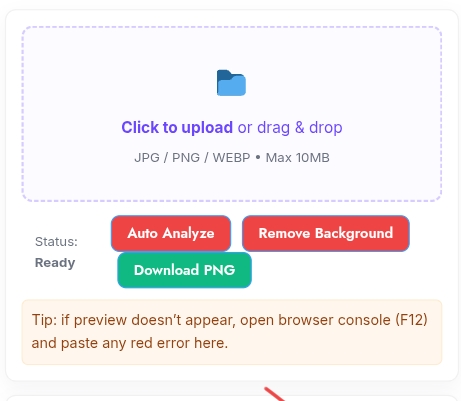
Looking for a fast, reliable background remover tool? Our ultra-accurate background remover tool instantly detects and removes backgrounds from photos — producing clean, transparent PNGs ready for web, product listings, and design. Simply upload an image, use Auto Analyze, and get a high-quality result without installing software.
🎯 Background Remover — Stable Upload
How the background remover tool works
The background remover tool analyzes your image using a mix of color-distance, edge-detection, and region-growing algorithms. By combining multiple approaches (multi-algorithm fusion) the tool creates a precise mask, runs refinement passes, and applies edge protection to preserve hair, fur, and other fine details. Processing occurs in-browser so your files stay private and the results are instant.
Key features of the background remover tool
- Multi-Algorithm Fusion of Background Remover Tool : Color, edge, and region-based masks combined for higher accuracy.
- Fast Drag & Drop Upload: Upload images quickly and preview instantly.
- Transparent PNG Export: Download PNGs with preserved edge detail and alpha channel.
- Noise Reduction & Edge Refinement: Tunable sliders let you fine-tune results for complex subjects.
- Mask Download & Clipboard Copy: Save the mask separately or copy the processed image to the clipboard.
- Client-Side Processing: Works fully in the browser — no server upload required for privacy and speed.
How to use the background remover tool (quick steps)
- Click the upload area or drag & drop your JPG/PNG/WEBP image.
- Click Auto Analyze to auto-detect background and recommended settings.
- Adjust sensitivity, edge refinement, or enable Multi-Algorithm Fusion for challenging images.
- Click Remove Background, preview the result, and download the transparent PNG.
Why designers and sellers use this Background Remover Tool
Ecommerce sellers use this background remover tool to create consistent, shadow-free product images. Designers use it to quickly extract subjects for compositing. Because processing is client-side, it’s ideal when privacy and speed matter.
FAQ
- Which formats are supported? JPG, PNG, WEBP.
- Can I keep a soft shadow? Yes — tweak edge refinement and sensitivity to preserve subtle shadows.
- Is sign-up required? No — use it instantly on the page.
Conclusion
Ready to remove your background? Upload your image above and try the background remover tool free — create transparent PNGs in seconds. For tips on using transparent images on your site, read our guide on how to make images with transparent backgrounds.
also use Easy Image Resizer – Resize & Compress Photos in 1 Click (Free Tool)
External references (optional):
- Image formats & WebP info — MDN Web Docs.
- PNG transparency basics — Wikipedia (or MDN).

Post Comment